
|
xtd
1.0.0
|
Loading...
Searching...
No Matches
xtd::forms::control_paint Class Referencefinal
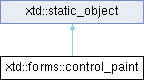
Inheritance diagram for xtd::forms::control_paint:
Definition
Provides methods used to paint common Windows controls and their elements. This class cannot be inherited.
- Header
- #include <xtd/forms/control_paint>
- Namespace
- xtd::forms
- Library
- xtd.forms
Public Static Methods | |
| static auto | average (const xtd::drawing::color &color1, const xtd::drawing::color &color2, double weight, bool average_alpha) -> xtd::drawing::color |
| Returns the weighted average color between the two given colors. | |
| static auto | average (const xtd::drawing::color &color1, const xtd::drawing::color &color2, double weight) -> xtd::drawing::color |
| Returns the weighted average color between the two given colors. | |
| static auto | dark (const xtd::drawing::color &base_color) -> xtd::drawing::color |
| Creates a new dark color object for the control from the specified color. | |
| static auto | dark (const xtd::drawing::color &base_color, double perc_of_dark_dark) -> xtd::drawing::color |
| Creates a new dark color object for the control from the specified color and darkens it by the specified percentage. | |
| static auto | dark_dark (const xtd::drawing::color &base_color) -> xtd::drawing::color |
| Creates a new dark color object for the control from the specified color. | |
| static auto | draw_button (const xtd::forms::control &control, xtd::drawing::graphics &graphics, const xtd::drawing::rectangle &rectangle, xtd::forms::button_state state) -> void |
| Draws button in a specified control and graohics with specified bounds and state. | |
| static auto | draw_button (const xtd::forms::control &control, xtd::drawing::graphics &graphics, xtd::int32 x, xtd::int32 y, xtd::int32 width, xtd::int32 height, xtd::forms::button_state state) -> void |
| Draws button in a specified control and graohics with specified bounds and state. | |
| static auto | draw_border (const xtd::forms::control &control, xtd::drawing::graphics &graphics, xtd::forms::border_style border, xtd::forms::border_sides sides, const xtd::drawing::color &color, const xtd::drawing::rectangle &rect) -> void |
| Draws border in a specified control and graohics with specified style, sides, color and bounds. | |
| static auto | draw_border (const xtd::forms::control &control, xtd::drawing::graphics &graphics, xtd::forms::border_style border, xtd::forms::border_sides sides, const xtd::drawing::color &color, const xtd::drawing::rectangle &rect, bool light) -> void |
| Draws border in a specified control and graohics with specified style, sides, color and bounds. | |
| static auto | draw_border_from_back_color (const xtd::forms::control &control, xtd::drawing::graphics &graphics, xtd::forms::border_style border, xtd::forms::border_sides sides, const xtd::drawing::color &back_color, const xtd::drawing::rectangle &rect) -> void |
| Draws border in a specified control and graohics with specified style, sides, back color and bounds. | |
| static auto | draw_image (xtd::drawing::graphics &graphics, const xtd::drawing::image &image, const xtd::drawing::rectangle &rectangle, xtd::forms::image_layout image_layoutimage_layout) -> void |
| Draws the specified image in a specified rectangle with specified layout. | |
| static auto | draw_image (xtd::drawing::graphics &graphics, const xtd::drawing::image &image, int32 x, int32 y, int32 width, int32 height, xtd::forms::image_layout image_layoutimage_layout) -> void |
| Draws the specified image in a specified rectangle with specified layout. | |
| static auto | draw_image_disabled (xtd::drawing::graphics &graphics, const xtd::drawing::image &image, int32 x, int32 y, float brightness) -> void |
| Draws the specified image in a disabled state. | |
| static auto | draw_image_disabled (xtd::drawing::graphics &graphics, const xtd::drawing::image &image, int32 x, int32 y, const xtd::drawing::color &background) -> void |
| Draws the specified image in a disabled state. | |
| static auto | draw_image_disabled (xtd::drawing::graphics &graphics, const xtd::drawing::image &image, const xtd::drawing::point &location, float brightness) -> void |
| Draws the specified image in a disabled state. | |
| static auto | draw_image_disabled (xtd::drawing::graphics &graphics, const xtd::drawing::image &image, const xtd::drawing::point &location, const xtd::drawing::color &background) -> void |
| Draws the specified image in a disabled state. | |
| static auto | light (const xtd::drawing::color &base_color) -> xtd::drawing::color |
| Creates a new light color object for the control from the specified color. | |
| static auto | light (const xtd::drawing::color &base_color, double perc_of_light_light) -> xtd::drawing::color |
| Creates a new light color object for the control from the specified color and lightens it by the specified percentage. | |
| static auto | light_light (const xtd::drawing::color &base_color) -> xtd::drawing::color |
| Creates a new light color object for the control from the specified color. | |
| static auto | string_format (xtd::forms::text_format_flags flags) -> xtd::drawing::string_format |
| Convert xtd::forms::text_format_flags to xtd::drawing::string_format. | |
Member Function Documentation
◆ average() [1/2]
|
staticnodiscard |
Returns the weighted average color between the two given colors.
- Parameters
-
color1 The first color. color2 The second color. weight The weighting factor average_alpha if true alpha was compute to; otherwise the alpha result is the alpha of color1
- Returns
- The average color.
- Remarks
- The alpha, red, green and blue values are averages using the following formula: color = color1 * (1 - weight) + color2 * weight;
- Thus, a weight value of 1.0 will return the first color, while a value of 0.0 will return the second color.
◆ average() [2/2]
|
staticnodiscard |
Returns the weighted average color between the two given colors.
- Parameters
-
color1 The first color. color2 The second color. weight The weighting factor
- Returns
- The average color.
- Remarks
- The red, green and blue values are averages using the following formula: color = color1 * (1 - weight) + color2 * 1 - weight;
- Thus, a weight value of 1.0 will return the second color, while a value of 0.0 will return the first color.
◆ dark() [1/2]
|
staticnodiscard |
Creates a new dark color object for the control from the specified color.
- Parameters
-
color The xtd::drawing::color to be darkened.
- Returns
- A xtd::drawing::color that represents the dark color on the control.
- Remarks
- If the specified xtd::drawing::color is one of the xtd::drawing::system_color, the color is converted to a xtd::drawing::system_color.control_dark color; otherwise, the color's luminosity value is decreased.
◆ dark() [2/2]
|
staticnodiscard |
Creates a new dark color object for the control from the specified color and darkens it by the specified percentage.
- Parameters
-
color The xtd::drawing::color to be darkened. perc_of_dark The percentage to darken the specified xtd::drawing::color.
- Remarks
- If the specified xtd::drawing::color is one of the xtd::drawing::system_color, the color is converted to a xtd::drawing::system_color.control_dark color; otherwise, the color's luminosity value is decreased.
◆ dark_dark()
|
staticnodiscard |
Creates a new dark color object for the control from the specified color.
- Parameters
-
color The xtd::drawing::color to be darkened.
- Returns
- A xtd::drawing::color that represents the dark color on the control.
- Remarks
- If the specified xtd::drawing::color is one of the xtd::drawing::system_color, the color is converted to a xtd::drawing::system_color.control_dark_dark color; otherwise, the color's luminosity value is decreased.
◆ draw_button() [1/2]
|
static |
Draws button in a specified control and graohics with specified bounds and state.
- Parameters
-
control The control that contains the button to draw. graphics The graphics used to draw the button. rectangle the button bounds. state The button xtd::forms::button_state values.
◆ draw_button() [2/2]
|
static |
Draws button in a specified control and graohics with specified bounds and state.
- Parameters
-
control The control that contains the button to draw. graphics The graphics used to draw the button. x The button horizontal position. y The button verticaal position. width The button width. height The button height. state The button xtd::forms::button_state values.
◆ draw_border() [1/2]
|
static |
Draws border in a specified control and graohics with specified style, sides, color and bounds.
- Parameters
-
control The control that contains the border to draw. graphics The graphics used to draw the border. border One of xtd::forms::border_style values. side The xtd::forms::border_sidesvalues. color The xtd::drawing::color use to draw border. rect The border bounds.
◆ draw_border() [2/2]
|
static |
Draws border in a specified control and graohics with specified style, sides, color and bounds.
- Parameters
-
control The control that contains the border to draw. graphics The graphics used to draw the border. border One of xtd::forms::border_style values. side The xtd::forms::border_sidesvalues. color The xtd::drawing::color use to draw border. rect The border bounds. light true if the control is light; otherwise false.
◆ draw_border_from_back_color()
|
static |
Draws border in a specified control and graohics with specified style, sides, back color and bounds.
- Parameters
-
control The control that contains the border to draw. graphics The graphics used to draw the border. border One of xtd::forms::border_style values. side The xtd::forms::border_sidesvalues. back_color The xtd::drawing::color use to automatically deduce the border color. rect The border bounds.
- Remarks
- The color of the border is automatically deduce from the specified background color.
◆ draw_image() [1/2]
|
static |
Draws the specified image in a specified rectangle with specified layout.
- Parameters
-
xtd::drawing::graphics The Graphics to draw on. image The xtd::drawing::image to draw. rectangle xtd::drawing::rectangle structure that defines the rectangle of the drawn image. image_layout One of the values of xtd::forms::image_layout (center , none, stretch, tile, or zoom).
◆ draw_image() [2/2]
|
static |
Draws the specified image in a specified rectangle with specified layout.
- Parameters
-
xtd::drawing::graphics The Graphics to draw on. image The xtd::drawing::image to draw. x The x-coordinate of the top left of the drawn image. y The y-coordinate of the top left of the drawn image. width The width of the drawn image. height The height of the drawn image. image_layout One of the values of xtd::forms::image_layout (center , none, stretch, tile, or zoom).
◆ draw_image_disabled() [1/4]
|
static |
Draws the specified image in a disabled state.
- Parameters
-
xtd::drawing::graphics The Graphics to draw on. image The xtd::drawing::image to draw. x The x-coordinate of the top left of the border image. y The y-coordinate of the top left of the border image. brightness The brightness (between 0.0 and 1.0 for drawing image disabled.
- Remarks
- The background parameter is used to calculate the fill color of the disabled image so that it is always visible against the background
◆ draw_image_disabled() [2/4]
|
static |
Draws the specified image in a disabled state.
- Parameters
-
xtd::drawing::graphics The Graphics to draw on. image The xtd::drawing::image to draw. x The x-coordinate of the top left of the border image. y The y-coordinate of the top left of the border image. background The xtd::drawing::color of the background behind the image.
- Remarks
- The background parameter is used to calculate the fill color of the disabled image so that it is always visible against the background
◆ draw_image_disabled() [3/4]
|
static |
Draws the specified image in a disabled state.
- Parameters
-
xtd::drawing::graphics The Graphics to draw on. image The xtd::drawing::image to draw. location The xtd::drawing::point of the top left of the border image. brightness The brightness (between 0.0 and 1.0 for drawing image disabled.
- Remarks
- The background parameter is used to calculate the fill color of the disabled image so that it is always visible against the background
◆ draw_image_disabled() [4/4]
|
static |
Draws the specified image in a disabled state.
- Parameters
-
xtd::drawing::graphics The Graphics to draw on. image The xtd::drawing::image to draw. location The xtd::drawing::point of the top left of the border image. background The xtd::drawing::color of the background behind the image.
- Remarks
- The background parameter is used to calculate the fill color of the disabled image so that it is always visible against the background
◆ light() [1/2]
|
staticnodiscard |
Creates a new light color object for the control from the specified color.
- Parameters
-
color The xtd::drawing::color to be lightened.
- Returns
- A xtd::drawing::color that represents the light color on the control.
- Remarks
- If the specified xtd::drawing::color is one of the xtd::drawing::system_color, the color is converted to a xtd::drawing::system_color.control_light color; otherwise, the color's luminosity value is decreased.
◆ light() [2/2]
|
staticnodiscard |
Creates a new light color object for the control from the specified color and lightens it by the specified percentage.
- Parameters
-
color The xtd::drawing::color to be lightened. perc_of_light The percentage to lighten the specified xtd::drawing::color.
- Remarks
- If the specified xtd::drawing::color is one of the xtd::drawing::system_color, the color is converted to a xtd::drawing::system_color.control_light color; otherwise, the color's luminosity value is decreased.
◆ light_light()
|
staticnodiscard |
Creates a new light color object for the control from the specified color.
- Parameters
-
color The xtd::drawing::color to be lightened.
- Returns
- A xtd::drawing::color that represents the light color on the control.
- Remarks
- If the specified xtd::drawing::color is one of the xtd::drawing::system_color, the color is converted to a xtd::drawing::system_color.control_light_light color; otherwise, the color's luminosity value is decreased.
◆ string_format()
|
staticnodiscard |
Convert xtd::forms::text_format_flags to xtd::drawing::string_format.
- Parameters
-
flags a text_format_flags to convert.
- Returns
- A string_format converted.
The documentation for this class was generated from the following file:
- xtd.forms/include/xtd/forms/control_paint.hpp
Generated on for xtd by Gammasoft. All rights reserved.