
|
xtd
0.2.0
|
Loading...
Searching...
No Matches
xtd::collections::generic::linked_list_node< type_t > Class Template Referencefinal
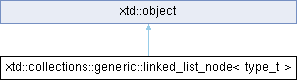
Inheritance diagram for xtd::collections::generic::linked_list_node< type_t >:
Definition
template<class type_t>
class xtd::collections::generic::linked_list_node< type_t >
class xtd::collections::generic::linked_list_node< type_t >
Represents a node in a LinkedList<T>. This class cannot be inherited.
- Definition
- template<class type_t>linked_list_node(const value_type &value)Initializes a new instance of the xtd::collections::generic::linked_list_node <type_t> class,...Definition linked_list_node.hpp:67Supports all classes in the xtd class hierarchy and provides low-level services to derived classes....Definition object.hpp:45
- Header
- #include <xtd/collections/generic/linked_list_node>
- Namespace
- xtd::collections::generic
- Library
- xtd.core
- Examples
- The following code example creates a xtd::collections::generic::linked_list_node <type_t>, adds it to a xtd::collections::generic::linked_list <type_t>, and tracks the values of its properties as the xtd::collections::generic::linked_list <type_t> changes. #include <xtd/xtd>using namespace text;class example {public:static auto main() -> void {// Create a new linked_list_node of type string and displays its properties.console::write_line("After creating the node ....");display_properties(lln);// Create a new linked_list.auto ll = linked_list<string> {};// Add the "orange" node and display its properties.ll.add_last(lln);console::write_line("After adding the node to the empty linked_list ....");display_properties(lln);// Add nodes before and after the "orange" node and display the "orange" node's properties.ll.add_first("red");ll.add_last("yellow");lln = *ll.find("orange");console::write_line("After adding red and yellow ....");display_properties(lln);}static void display_properties(const linked_list_node<string>& lln ) {if (lln.list().is_empty())console::write_line(" Node is not linked.");elseconsole::write_line(" Node belongs to a linked list with {0} elements.", lln.list().get().count());if (lln.previous() == nullopt)console::write_line(" Previous node is null.");elseconsole::write_line(" Value of previous node: {0}", lln.previous()->value());console::write_line(" Value of current node: {0}", lln.value());if (lln.next() == nullopt)console::write_line(" Next node is null.");elseconsole::write_line(" Value of next node: {0}", lln.next()->value());}};startup_(example::main);// This code produces the following output ://// After creating the node ....// Node is not linked.// Previous node is null.// Value of current node: orange// Next node is null.//// After adding the node to the empty linked_list ....// Node belongs to a linked list with 1 elements.// Previous node is null.// Value of current node: orange// Next node is null.//// After adding red and yellow ....// Node belongs to a linked list with 3 elements.// Value of previous node: red// Value of current node: orange// Value of next node: yellow//auto add_last(const type_t &value) -> linked_list_node< type_t >Adds a new node containing the specified value at the end of the xtd::collections::generic::linked_li...Definition linked_list.hpp:242static void write_line()Writes the current line terminator to the standard output stream using the specified format informati...#define startup_(main_method)Defines the entry point to be called when the application loads. Generally this is set either to the ...Definition startup.hpp:168constexpr null_opt nulloptRepresents a nullopt value. Used to indicate that an std::optional does not contain a value.Definition nullopt.hpp:26Contains classes that represent ASCII and Unicode character encodings; abstract base classes for conv...Definition basic_string_builder.hpp:17
- Remarks
- Each element of the xtd::collections::generic::linked_list <type_t> collection has a virtual xtd::collections::generic::linked_list_node <type_t>. The xtd::collections::generic::linked_list_node <type_t> contains a value, a reference to the xtd::collections::generic::linked_list <type_t> that it belongs to, a reference to the next node, and a reference to the previous node.
Public Aliases | |
| using | value_type |
| Represents the linked list node value type. | |
| using | linked_list_type |
| Represents the linked list type. | |
| using | base_type |
| Represents the linked list base type. | |
| using | size_type |
| Represents the size type. | |
Public Constructors | |
| linked_list_node (const value_type &value) | |
| Initializes a new instance of the xtd::collections::generic::linked_list_node <type_t> class, containing the specified value. | |
Public Properties | |
| auto | list () const noexcept -> xtd::ref< const linked_list< type_t > > |
| Gets the xtd::collections::generic::linked_list <type_t> that the xtd::collections::generic::linked_list_node <type_t> belongs to. | |
| auto | next () const -> xtd::optional< linked_list_node > |
| Gets the next node in the LinkedList<T>. | |
| auto | previous () const -> xtd::optional< linked_list_node > |
| Gets the previous node in the LinkedList<T>. | |
| auto | value () const -> const value_type & |
| Gets the value contained in the node. | |
| auto | value () -> value_type & |
| Gets the value contained in the node. | |
Additional Inherited Members | |
| object ()=default | |
| Create a new instance of the ultimate base class object. | |
| virtual bool | equals (const object &obj) const noexcept |
| Determines whether the specified object is equal to the current object. | |
| virtual xtd::size | get_hash_code () const noexcept |
| Serves as a hash function for a particular type. | |
| virtual type_object | get_type () const noexcept |
| Gets the type of the current instance. | |
| template<class object_t> | |
| xtd::unique_ptr_object< object_t > | memberwise_clone () const |
| Creates a shallow copy of the current object. | |
| virtual xtd::string | to_string () const noexcept |
| Returns a xtd::string that represents the current object. | |
| template<class object_a_t, class object_b_t> | |
| static bool | equals (const object_a_t &object_a, const object_b_t &object_b) noexcept |
| Determines whether the specified object instances are considered equal. | |
| template<class object_a_t, class object_b_t> | |
| static bool | reference_equals (const object_a_t &object_a, const object_b_t &object_b) noexcept |
| Determines whether the specified object instances are the same instance. | |
Member Typedef Documentation
◆ value_type
template<class type_t>
| using xtd::collections::generic::linked_list_node< type_t >::value_type |
Represents the linked list node value type.
◆ linked_list_type
template<class type_t>
| using xtd::collections::generic::linked_list_node< type_t >::linked_list_type |
Represents the linked list type.
◆ base_type
template<class type_t>
| using xtd::collections::generic::linked_list_node< type_t >::base_type |
Represents the linked list base type.
◆ size_type
template<class type_t>
| using xtd::collections::generic::linked_list_node< type_t >::size_type |
Represents the size type.
Constructor & Destructor Documentation
◆ linked_list_node()
template<class type_t>
|
inline |
Initializes a new instance of the xtd::collections::generic::linked_list_node <type_t> class, containing the specified value.
- Parameters
-
The value to contain in the xtd::collections::generic::linked_list_node <type_t>.
- Examples
- The following code example creates a xtd::collections::generic::linked_list_node <type_t>, adds it to a xtd::collections::generic::linked_list <type_t>, and tracks the values of its properties as the xtd::collections::generic::linked_list <type_t> changes. #include <xtd/xtd>using namespace text;class example {public:static auto main() -> void {// Create a new linked_list_node of type string and displays its properties.console::write_line("After creating the node ....");display_properties(lln);// Create a new linked_list.auto ll = linked_list<string> {};// Add the "orange" node and display its properties.ll.add_last(lln);console::write_line("After adding the node to the empty linked_list ....");display_properties(lln);// Add nodes before and after the "orange" node and display the "orange" node's properties.ll.add_first("red");ll.add_last("yellow");lln = *ll.find("orange");console::write_line("After adding red and yellow ....");display_properties(lln);}static void display_properties(const linked_list_node<string>& lln ) {if (lln.list().is_empty())console::write_line(" Node is not linked.");elseconsole::write_line(" Node belongs to a linked list with {0} elements.", lln.list().get().count());if (lln.previous() == nullopt)console::write_line(" Previous node is null.");elseconsole::write_line(" Value of previous node: {0}", lln.previous()->value());console::write_line(" Value of current node: {0}", lln.value());if (lln.next() == nullopt)console::write_line(" Next node is null.");elseconsole::write_line(" Value of next node: {0}", lln.next()->value());}};startup_(example::main);// This code produces the following output ://// After creating the node ....// Node is not linked.// Previous node is null.// Value of current node: orange// Next node is null.//// After adding the node to the empty linked_list ....// Node belongs to a linked list with 1 elements.// Previous node is null.// Value of current node: orange// Next node is null.//// After adding red and yellow ....// Node belongs to a linked list with 3 elements.// Value of previous node: red// Value of current node: orange// Value of next node: yellow//
- Remarks
- The xtd::collections::generic::linked_list_node::list, xtd::collections::generic::linked_list_node::next, and xtd::collections::generic::linked_list_node::previous properties are set to xtd::nullopt.
Member Function Documentation
◆ list()
template<class type_t>
|
inlinenoexcept |
Gets the xtd::collections::generic::linked_list <type_t> that the xtd::collections::generic::linked_list_node <type_t> belongs to.
- Returns
- A reference to the xtd::collections::generic::linked_list <ype_t> that the xtd::collections::generic::linked_list_node <type_t> belongs to, or null if the xtd::collections::generic::linked_list_node <type_t> is not linked.
- Examples
- The following code example creates a xtd::collections::generic::linked_list_node <type_t>, adds it to a xtd::collections::generic::linked_list <type_t>, and tracks the values of its properties as the xtd::collections::generic::linked_list <type_t> changes. #include <xtd/xtd>using namespace text;class example {public:static auto main() -> void {// Create a new linked_list_node of type string and displays its properties.console::write_line("After creating the node ....");display_properties(lln);// Create a new linked_list.auto ll = linked_list<string> {};// Add the "orange" node and display its properties.ll.add_last(lln);console::write_line("After adding the node to the empty linked_list ....");display_properties(lln);// Add nodes before and after the "orange" node and display the "orange" node's properties.ll.add_first("red");ll.add_last("yellow");lln = *ll.find("orange");console::write_line("After adding red and yellow ....");display_properties(lln);}static void display_properties(const linked_list_node<string>& lln ) {if (lln.list().is_empty())console::write_line(" Node is not linked.");elseconsole::write_line(" Node belongs to a linked list with {0} elements.", lln.list().get().count());if (lln.previous() == nullopt)console::write_line(" Previous node is null.");elseconsole::write_line(" Value of previous node: {0}", lln.previous()->value());console::write_line(" Value of current node: {0}", lln.value());if (lln.next() == nullopt)console::write_line(" Next node is null.");elseconsole::write_line(" Value of next node: {0}", lln.next()->value());}};startup_(example::main);// This code produces the following output ://// After creating the node ....// Node is not linked.// Previous node is null.// Value of current node: orange// Next node is null.//// After adding the node to the empty linked_list ....// Node belongs to a linked list with 1 elements.// Previous node is null.// Value of current node: orange// Next node is null.//// After adding red and yellow ....// Node belongs to a linked list with 3 elements.// Value of previous node: red// Value of current node: orange// Value of next node: yellow//
◆ next()
template<class type_t>
|
inline |
Gets the next node in the LinkedList<T>.
- Returns
- A reference to the next node in the xtd::collections::generic::linked_list <type_t>, or null if the current node is the last element (Last) of the xtd::collections::generic::linked_list <type_t>.
- Examples
- The following code example creates a xtd::collections::generic::linked_list_node <type_t>, adds it to a xtd::collections::generic::linked_list <type_t>, and tracks the values of its properties as the xtd::collections::generic::linked_list <type_t> changes. #include <xtd/xtd>using namespace text;class example {public:static auto main() -> void {// Create a new linked_list_node of type string and displays its properties.console::write_line("After creating the node ....");display_properties(lln);// Create a new linked_list.auto ll = linked_list<string> {};// Add the "orange" node and display its properties.ll.add_last(lln);console::write_line("After adding the node to the empty linked_list ....");display_properties(lln);// Add nodes before and after the "orange" node and display the "orange" node's properties.ll.add_first("red");ll.add_last("yellow");lln = *ll.find("orange");console::write_line("After adding red and yellow ....");display_properties(lln);}static void display_properties(const linked_list_node<string>& lln ) {if (lln.list().is_empty())console::write_line(" Node is not linked.");elseconsole::write_line(" Node belongs to a linked list with {0} elements.", lln.list().get().count());if (lln.previous() == nullopt)console::write_line(" Previous node is null.");elseconsole::write_line(" Value of previous node: {0}", lln.previous()->value());console::write_line(" Value of current node: {0}", lln.value());if (lln.next() == nullopt)console::write_line(" Next node is null.");elseconsole::write_line(" Value of next node: {0}", lln.next()->value());}};startup_(example::main);// This code produces the following output ://// After creating the node ....// Node is not linked.// Previous node is null.// Value of current node: orange// Next node is null.//// After adding the node to the empty linked_list ....// Node belongs to a linked list with 1 elements.// Previous node is null.// Value of current node: orange// Next node is null.//// After adding red and yellow ....// Node belongs to a linked list with 3 elements.// Value of previous node: red// Value of current node: orange// Value of next node: yellow//
◆ previous()
template<class type_t>
|
inline |
Gets the previous node in the LinkedList<T>.
- Returns
- A reference to the previous node in the xtd::collections::generic::linked_list <type_t>, or null if the current node is the first element (Last) of the xtd::collections::generic::linked_list <type_t>.
- Examples
- The following code example creates a xtd::collections::generic::linked_list_node <type_t>, adds it to a xtd::collections::generic::linked_list <type_t>, and tracks the values of its properties as the xtd::collections::generic::linked_list <type_t> changes. #include <xtd/xtd>using namespace text;class example {public:static auto main() -> void {// Create a new linked_list_node of type string and displays its properties.console::write_line("After creating the node ....");display_properties(lln);// Create a new linked_list.auto ll = linked_list<string> {};// Add the "orange" node and display its properties.ll.add_last(lln);console::write_line("After adding the node to the empty linked_list ....");display_properties(lln);// Add nodes before and after the "orange" node and display the "orange" node's properties.ll.add_first("red");ll.add_last("yellow");lln = *ll.find("orange");console::write_line("After adding red and yellow ....");display_properties(lln);}static void display_properties(const linked_list_node<string>& lln ) {if (lln.list().is_empty())console::write_line(" Node is not linked.");elseconsole::write_line(" Node belongs to a linked list with {0} elements.", lln.list().get().count());if (lln.previous() == nullopt)console::write_line(" Previous node is null.");elseconsole::write_line(" Value of previous node: {0}", lln.previous()->value());console::write_line(" Value of current node: {0}", lln.value());if (lln.next() == nullopt)console::write_line(" Next node is null.");elseconsole::write_line(" Value of next node: {0}", lln.next()->value());}};startup_(example::main);// This code produces the following output ://// After creating the node ....// Node is not linked.// Previous node is null.// Value of current node: orange// Next node is null.//// After adding the node to the empty linked_list ....// Node belongs to a linked list with 1 elements.// Previous node is null.// Value of current node: orange// Next node is null.//// After adding red and yellow ....// Node belongs to a linked list with 3 elements.// Value of previous node: red// Value of current node: orange// Value of next node: yellow//
◆ value() [1/2]
template<class type_t>
|
inline |
Gets the value contained in the node.
- Returns
- The value contained in the node.
- Examples
- The following code example creates a xtd::collections::generic::linked_list_node <type_t>, adds it to a xtd::collections::generic::linked_list <type_t>, and tracks the values of its properties as the xtd::collections::generic::linked_list <type_t> changes. #include <xtd/xtd>using namespace text;class example {public:static auto main() -> void {// Create a new linked_list_node of type string and displays its properties.console::write_line("After creating the node ....");display_properties(lln);// Create a new linked_list.auto ll = linked_list<string> {};// Add the "orange" node and display its properties.ll.add_last(lln);console::write_line("After adding the node to the empty linked_list ....");display_properties(lln);// Add nodes before and after the "orange" node and display the "orange" node's properties.ll.add_first("red");ll.add_last("yellow");lln = *ll.find("orange");console::write_line("After adding red and yellow ....");display_properties(lln);}static void display_properties(const linked_list_node<string>& lln ) {if (lln.list().is_empty())console::write_line(" Node is not linked.");elseconsole::write_line(" Node belongs to a linked list with {0} elements.", lln.list().get().count());if (lln.previous() == nullopt)console::write_line(" Previous node is null.");elseconsole::write_line(" Value of previous node: {0}", lln.previous()->value());console::write_line(" Value of current node: {0}", lln.value());if (lln.next() == nullopt)console::write_line(" Next node is null.");elseconsole::write_line(" Value of next node: {0}", lln.next()->value());}};startup_(example::main);// This code produces the following output ://// After creating the node ....// Node is not linked.// Previous node is null.// Value of current node: orange// Next node is null.//// After adding the node to the empty linked_list ....// Node belongs to a linked list with 1 elements.// Previous node is null.// Value of current node: orange// Next node is null.//// After adding red and yellow ....// Node belongs to a linked list with 3 elements.// Value of previous node: red// Value of current node: orange// Value of next node: yellow//
- Remarks
- This property is set in the xtd::collections::generic::linked_list_node <type_t>.
◆ value() [2/2]
template<class type_t>
|
inline |
Gets the value contained in the node.
- Returns
- The value contained in the node.
- Examples
- The following code example creates a xtd::collections::generic::linked_list_node <type_t>, adds it to a xtd::collections::generic::linked_list <type_t>, and tracks the values of its properties as the xtd::collections::generic::linked_list <type_t> changes. #include <xtd/xtd>using namespace text;class example {public:static auto main() -> void {// Create a new linked_list_node of type string and displays its properties.console::write_line("After creating the node ....");display_properties(lln);// Create a new linked_list.auto ll = linked_list<string> {};// Add the "orange" node and display its properties.ll.add_last(lln);console::write_line("After adding the node to the empty linked_list ....");display_properties(lln);// Add nodes before and after the "orange" node and display the "orange" node's properties.ll.add_first("red");ll.add_last("yellow");lln = *ll.find("orange");console::write_line("After adding red and yellow ....");display_properties(lln);}static void display_properties(const linked_list_node<string>& lln ) {if (lln.list().is_empty())console::write_line(" Node is not linked.");elseconsole::write_line(" Node belongs to a linked list with {0} elements.", lln.list().get().count());if (lln.previous() == nullopt)console::write_line(" Previous node is null.");elseconsole::write_line(" Value of previous node: {0}", lln.previous()->value());console::write_line(" Value of current node: {0}", lln.value());if (lln.next() == nullopt)console::write_line(" Next node is null.");elseconsole::write_line(" Value of next node: {0}", lln.next()->value());}};startup_(example::main);// This code produces the following output ://// After creating the node ....// Node is not linked.// Previous node is null.// Value of current node: orange// Next node is null.//// After adding the node to the empty linked_list ....// Node belongs to a linked list with 1 elements.// Previous node is null.// Value of current node: orange// Next node is null.//// After adding red and yellow ....// Node belongs to a linked list with 3 elements.// Value of previous node: red// Value of current node: orange// Value of next node: yellow//
- Remarks
- This property is set in the xtd::collections::generic::linked_list_node <type_t>.
The documentation for this class was generated from the following file:
- xtd.core/include/xtd/collections/generic/linked_list_node.hpp
Generated on Sun Dec 14 2025 11:50:42 for xtd by Gammasoft. All rights reserved.